
Support
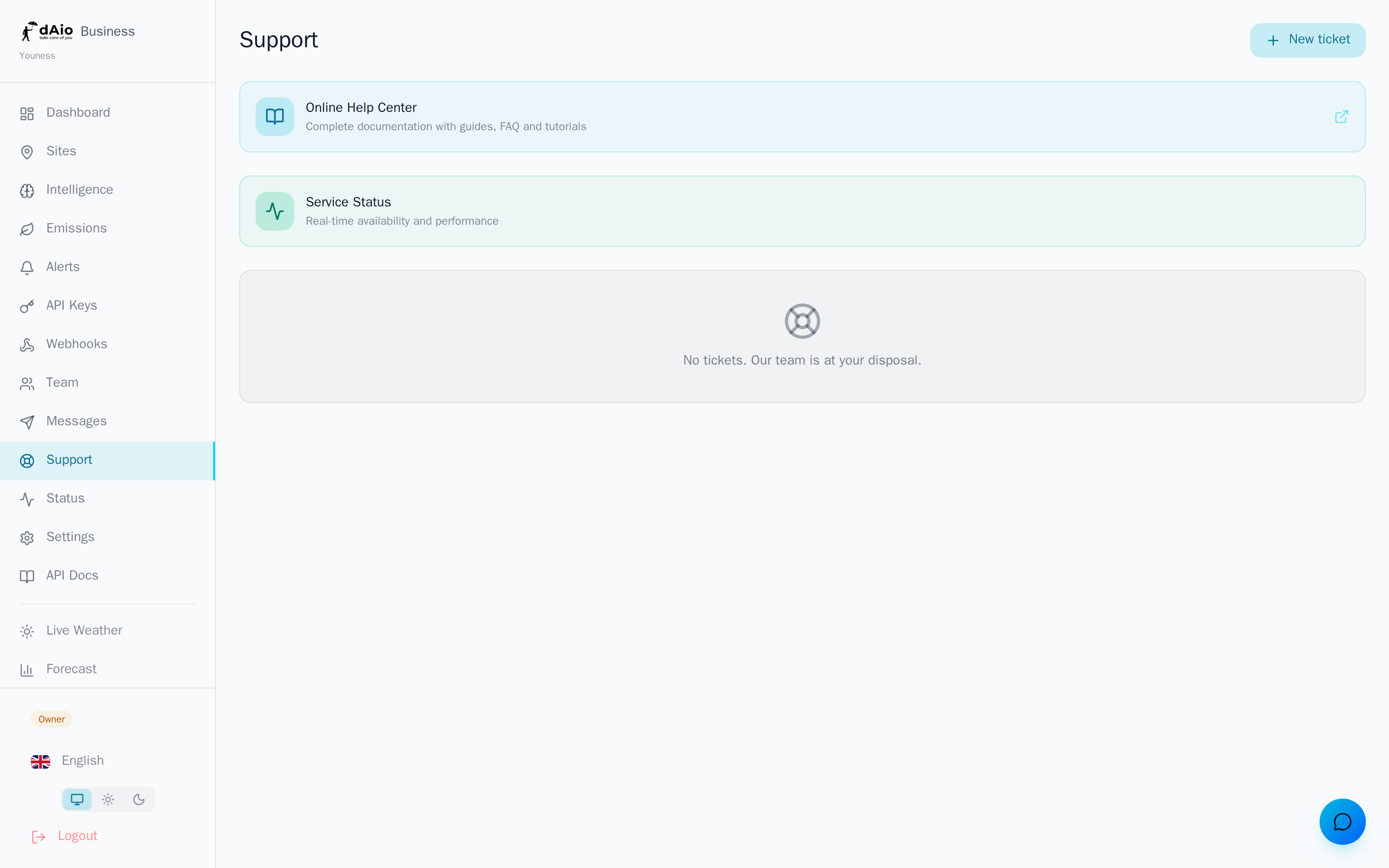
dAio Business Support is your direct line to our team. A question about an emissions calculation, an alert that won't trigger, a doubt about your billing or unexpected API behaviour: open a ticket, track its progress and talk to our experts without leaving the platform.
Support isn't limited to tickets. From this page you also reach the Help Center (the documentation you are reading) and the Status Page, which shows the real-time availability of dAio services.
Tip: before opening a ticket, check the Status Page and the FAQ. A large share of questions find an immediate answer there.
Three ways to get help
| Channel | What for | Access |
|---|---|---|
| Help Center | Documentation, step-by-step guides, FAQ | Link at the top of the Support page |
| Status Page | Service availability, ongoing incidents | Status link on the Support page |
| Tickets | Personalised request needing the team's involvement | New ticket button |
Create a ticket
- Open Support from the sidebar.
- Click New ticket.
- Fill in the form:
- Subject — a short, explicit title ("Discrepancy in the March carbon report").
- Category — see the table below.
- Priority — low, medium, high or urgent.
- Description — the problem, the context and, if possible, the steps to reproduce it.
- Click Create ticket.
Your ticket appears immediately in the list with its status and priority. Click it at any time to follow the conversation and reply to our team.
Tip: include the URL of the page concerned and attach a screenshot in your description. A well-documented ticket is handled far faster.
Categories
Choose the category that best describes your request: it routes your ticket to the right team.
| Category | Examples |
|---|---|
| General | Usage question, onboarding, guidance |
| Technical | Error, unexpected behaviour, malfunction |
| API | Keys, webhooks, requests, developer integration |
| Billing | Payment, invoice, plan change |
| Integration | Connecting a third-party tool, data export |
Priorities
| Priority | When to use it |
|---|---|
| Low | Convenience question, no impact on your operations |
| Medium | Routine request, handled within standard timeframes |
| High | An important feature is blocked for your team |
| Urgent | Total outage, data loss, critical blocker |
Warning: reserve Urgent priority for genuinely blocking situations. Misuse delays the handling of critical incidents, for other customers and for you.
Track and reply to a ticket
Click a ticket in the list to open its detail. There you find:
- The full exchange history, with your messages and our team's clearly distinguished.
- The current status: open, in progress, waiting, resolved or closed.
- The SLA deadline when it applies, shown at the top of the ticket.
To reply, type your message in the field at the bottom of the ticket and send it. As long as a ticket is not closed, you can add information or ask new questions.
Response times (SLA)
The first response time depends on your subscription:
| Plan | First response | Channels |
|---|---|---|
| Solo | 48 hours | |
| Team | 24 hours | Email + chat |
| Enterprise | 4 hours | Email + chat + phone |
Urgent tickets (total outage, data loss) are handled as a priority, whatever the plan.
Tip: upgrade your plan from Subscription if your operations require shorter response times or a dedicated phone channel.
Help Center and Status Page
- Help Center — the complete dAio Business documentation, available in your language. The link at the top of the Support page opens straight to the right language version.
- Status Page — the real-time health of dAio services. Check it first if you suspect a general incident before opening a ticket. See Status.
Best practices
- Search first in the FAQ and the Help Center: the answer is often already there.
- Check the Status Page before reporting an outage: the incident may already be known and tracked.
- One ticket = one topic: open separate tickets for separate problems for clearer tracking.
- Be precise: URL, screenshot, reproduction steps and the exact error message speed up resolution.
- Choose the right priority so critical requests stay visible, for you and for our team.
- Reply to follow-ups: a ticket waiting on your input won't progress until you respond.
Tip: for questions about technical integration, check the API documentation first before opening an API category ticket — you'll save a round trip.