
Emissions — Equipment
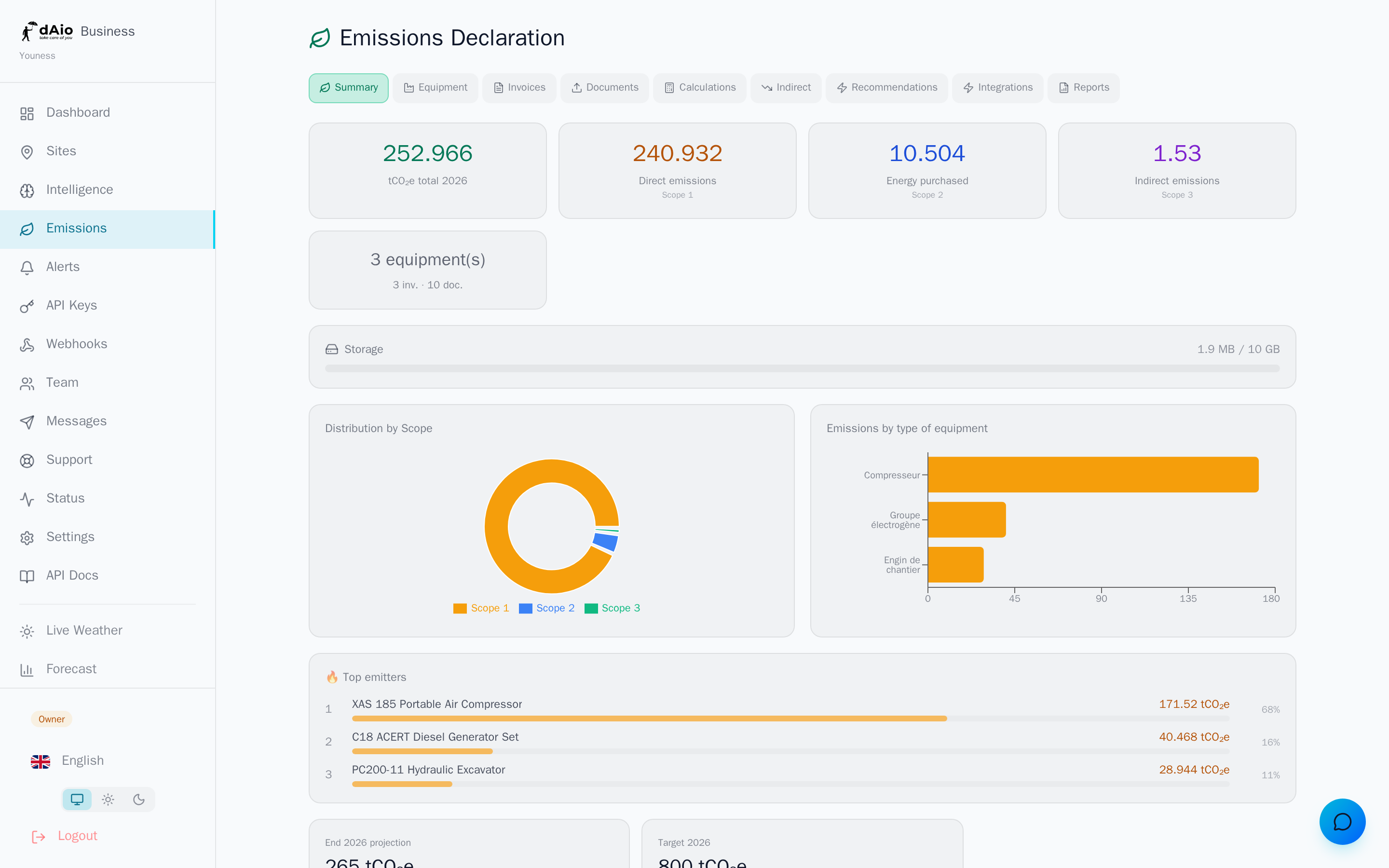
Equipment is the source of your direct emissions (Scope 1): any device that burns fuel on your sites — generator, construction machine, vehicle, boiler, compressor. By declaring each piece of equipment in dAio, you turn a plain list of machinery into an automatically calculated carbon inventory, ready for your regulatory reports.
It's the starting block of your footprint: without equipment entered, the emissions dashboard cannot estimate your Scope 1, your hotspots, or your annual trajectory.
Tip: start with your biggest consumers (generators, earthmoving machines). They weigh the most in your footprint; you capture most of the result with just a handful of records.
Add equipment
- Open the Equipment tab in the Emissions section.
- Click Add.
- Fill in the record, then Save.
| Field | Description |
|---|---|
| Name | A meaningful identifier for your teams ("Generator — Site A12"). Required. |
| Type | Generator, vehicle, truck, forklift, crane, excavator, HVAC, compressor, pump, boiler, oven, other. |
| Fuel | Diesel, gasoline, natural gas, LPG, fuel oil, electricity, kerosene. |
| Hourly consumption | Amount of fuel consumed per operating hour (e.g. L/h). |
| Annual hours | Number of operating hours per year. Essential for the calculation. |
| Quantity | Number of identical units (e.g. 3 generators of the same model). |
| Power (kW) | Rated power of the device (optional). |
| Manufacturer / Model | Manufacturer references (optional, useful for audits). |
Tip: hourly consumption is almost always on the manufacturer's datasheet. Enter it once and for all; only the annual hours will change from one period to the next.
How emissions are calculated
dAio automatically applies the correct emission factor based on the declared fuel, then combines hourly consumption × annual hours × quantity to estimate each piece of equipment's annual emissions, expressed in tCO₂e.
Orders of magnitude of the factors applied (recognised sources: ADEME, EPA, DEFRA):
| Fuel | Indicative factor |
|---|---|
| Diesel | ≈ 2.68 kgCO₂e / litre |
| Gasoline | ≈ 2.31 kgCO₂e / litre |
| LPG | ≈ 1.51 kgCO₂e / litre |
| Natural gas | ≈ 2.02 kgCO₂e / m³ |
| Fuel oil | ≈ 2.63 kgCO₂e / litre |
Warning: as long as the annual hours are not entered, the equipment stays flagged in orange and is not counted in your footprint. A quick-entry box appears directly on the record to complete this value in one click.
Once your equipment is up to date, run a calculation from the emissions dashboard to freeze a dated snapshot, viewable in the calculation history.
Import a datasheet (PDF)
Rather than typing everything by hand, let the AI read your documents:
- Click Import PDF from the Equipment tab.
- Drop the manufacturer's datasheet (PDF formats).
- The AI extracts the characteristics (type, fuel, consumption, power) and pre-fills a record.
- Check the proposed values, adjust if needed, then confirm.
Imported documents and their extraction status are tracked in the Documents tab.
Warning: always check the data extracted by the AI before confirming. A misread consumption figure distorts your entire Scope 1 footprint.
Edit or delete
- Edit — update the annual hours at each reading, or correct a characteristic. The footprint recalculates at the next snapshot.
- Delete — the equipment is removed from future calculations. Snapshots already generated are not affected: your history stays intact and auditable.
Tip: don't delete equipment taken out of service mid-year. Keep it, update its annual hours: your footprint will then reflect its real use over the period.
Best practices
- Link each piece of equipment to its site to locate your hotspots and manage by location.
- Standardise names (type + site + number) so you can find any record at a glance.
- Keep hours up to date at every reading: it's the variable that drives the accuracy of your Scope 1.
- Favour PDF import of datasheets to save time and limit data-entry errors.
- Group identical units using the Quantity field rather than multiplying records.
- Recalculate regularly to track your trajectory and feed your reports.
Tip: once your equipment (Scope 1) is declared, complete your footprint with energy invoices (Scope 2) then Scope 3 for a complete footprint that stands up to an auditor.