
Settings — User Profile
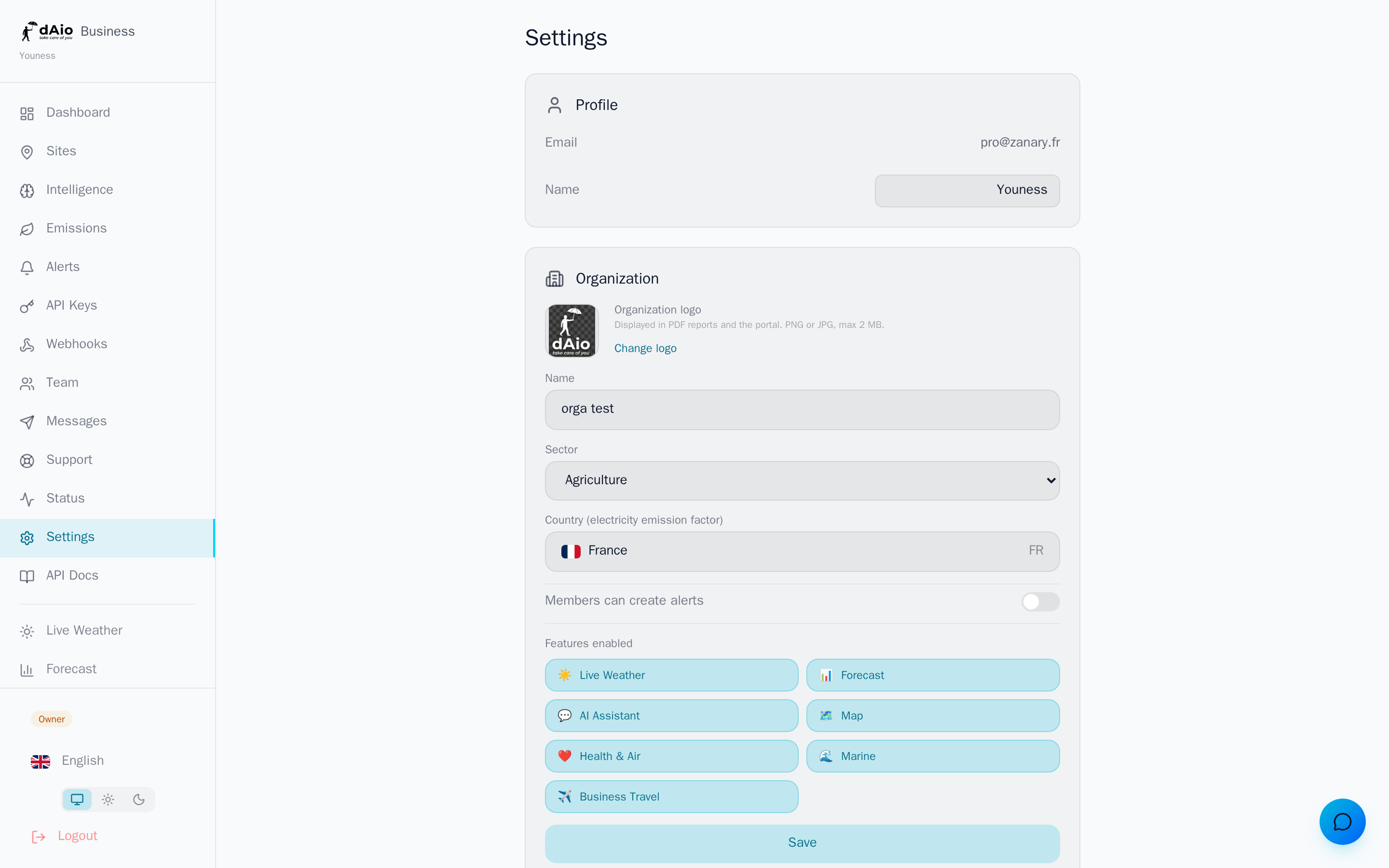
The Settings screen brings together everything that concerns you as a dAio Business user: your identity, your language, your display units and the look and feel of the interface. When properly configured, these settings make the platform faster to read and more pleasant to use day to day — and they ensure that reports, alerts and notifications reach you in the right format.
This guide covers the personal profile section. Company and notification settings are detailed in Other settings, and subscription management in Subscription.
Tip: your personal preferences (language, units, theme) are specific to your account. Each member of the organization configures their own without affecting their colleagues.
User profile
The Profile section displays your sign-in identity and lets you update it.
| Field | Description |
|---|---|
| Your sign-in identifier. It is also used to receive reports and notifications by email. | |
| Name | Your name as shown to other team members and in the action history. |
To change your name, enter the new value in the field provided: a Save button appears automatically as soon as the content changes. Click it to confirm — the Saved label confirms that the change has been applied.
Tip: enter a full, recognizable name. It makes it easier to track actions within the team and to collaborate between members.
Language and units
The Language and units section adapts the display to your working context.
- Language: the interface, reports and place names are translated into the chosen language. dAio supports around twenty languages.
- Temperature: choose between °C (Celsius) and °F (Fahrenheit).
- Wind: choose the wind speed unit — km/h, mph, m/s or knots.
These units apply everywhere: forecasts, weather intelligence, alerts and dashboards.
Tip: align the units with the conventions of your industry. Maritime teams favour knots, while construction and logistics prefer km/h.
Appearance
The Appearance section controls the visual theme of the interface:
| Mode | Behaviour |
|---|---|
| Auto | Follows your operating system's light/dark setting. |
| Light | Light interface at all times. |
| Dark | Dark interface at all times. |
The Auto mode is recommended: the interface switches automatically based on the time or your device preferences.
Notifications
The Notifications section summarizes the information channels enabled on your account, such as weather alerts or the daily report. To fine-tune your alerts (channels, thresholds, recipients), refer to Alerts. Linking your phone additionally opens the SMS and WhatsApp channels from Messages.
Data and account
At the bottom of the screen, the Data and account section groups together the sensitive actions linked to your personal account.
Export my data
The Export my data button generates a JSON file containing all of your personal data. This export meets GDPR requirements and belongs to you without restriction.
Delete my account
Account deletion is permanent. To prevent any mistake, dAio asks you to enter your email address to confirm the operation.
Warning: deleting your account is irreversible. Your personal data is erased and you lose access to the platform. If you are the owner of the organization, first transfer ownership or handle the subscription so as not to block your team.
Sign out
The Sign out button closes your session on the current device. Your data and that of the organization remain intact.
Best practices
- Keep your profile up to date: a clear name streamlines collaboration and the tracking of actions within the team.
- Choose the units of your industry right from the start to avoid any reading confusion between colleagues.
- Favour the Auto theme for consistent visual comfort, from the building site in bright sunlight to the office in the evening.
- Export your data before any sensitive operation on your account.
- Never delete an owner account without having first settled the organization's ownership and subscription.
Tip: once your profile is set, complete the other settings of your account and check your subscription.