
API Keys
API keys open up programmatic access to dAio Business. They allow your own applications, scripts and systems to query the platform directly — weather, air quality, pollen, marine conditions, sector intelligence — without going through the web interface. This is the entry point for industrialising your integrations: feeding an ERP, triggering a business process, displaying forecasts in your own dashboard.
Each key authenticates calls on behalf of your organisation and inherits its permissions. Combined with webhooks, it gives you a complete channel: you query dAio on demand via the API, and dAio notifies you in real time via webhooks.
Tip: create a separate key for each use (a service, an environment, a partner). You can revoke one without disrupting the others and track precisely which integration consumes what.
What an API key is for
| Need | The API key lets you… |
|---|---|
| Integration | Connect dAio to your IT system (ERP, CMMS, BI) without human intervention. |
| Automation | Run scheduled jobs (daily forecast retrieval, risk scoring). |
| Distribution | Display dAio data in your own applications or portals. |
| Controlled sharing | Give a partner limited, revocable access without creating a user account. |
Note: API access is reserved for paid plans. An organisation without an active subscription receives a
403response (« API access requires a paid plan ») on every call.
Creating a key
Creating a key is reserved for the organisation's owner and administrators (admin). Other roles can neither create nor revoke keys.
- Go to Settings > API Keys.
- Click New key in the top right.
- Enter a descriptive name identifying the key's use (e.g. « Production backend », « Power BI connector », « Partner X integration »).
- Click Create.
- The full key appears in a green banner: copy it immediately using the copy button.
Warning: the full key is displayed only once, at the moment it is created. It is never shown again afterwards — the platform retains only an encrypted fingerprint. If you lose it, you will have to generate a new one. Store it without delay in a secrets manager (Vault, AWS Secrets Manager, encrypted environment variables).
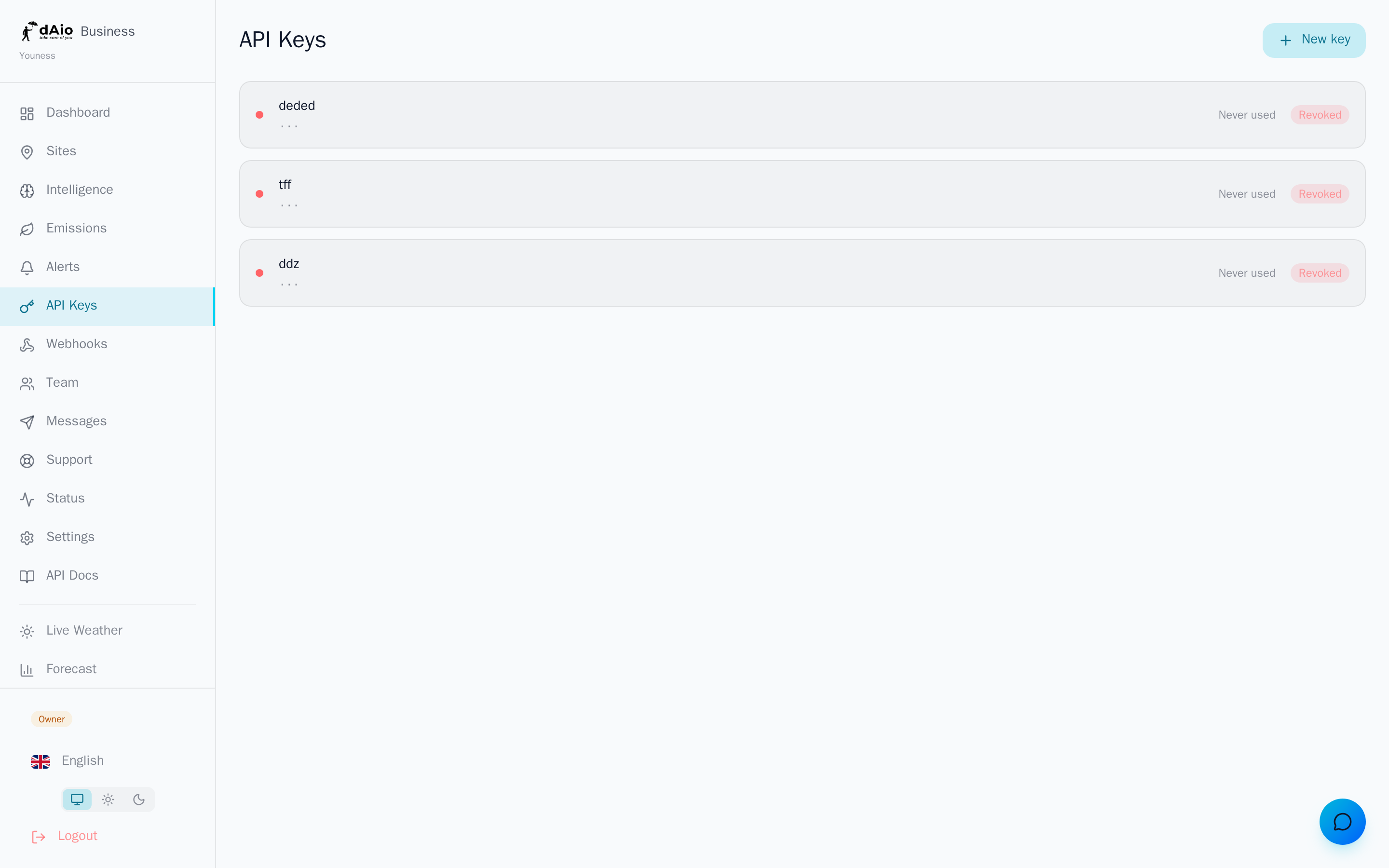
Once created, the key appears in the list with its name, its prefix (the first characters, to identify it without revealing it), a status indicator (green = active, red = revoked) and its last used date.
Using a key
Every request to the dAio API must include your key in the X-API-Key HTTP header. The API base is https://api-dev.daio.app, and the B2B endpoints are prefixed with /api/v1/.
curl -H "X-API-Key: YOUR_API_KEY" \
"https://api-dev.daio.app/api/v1/weather/current?lat=48.8566&lon=2.3522"Warning: the expected header is indeed
X-API-Key, notAuthorization: Bearer. An invalid or revoked key, or one passed in a different header, returns a401response (« Invalid API key »).
Refer to the API technical documentation for the full list of endpoints (weather, hourly forecasts, air quality, pollen, marine, batch processing) and the response format.
Rate limits
To ensure service stability, each key is subject to an hourly rate limit. The counter is specific to each key and resets every hour.
| Plan | Requests per hour |
|---|---|
| Free / no subscription | No API access |
| Solo · Team · Enterprise (dAio Business) | 20,000 |
When the limit is reached, the API returns a 429 response (« Rate limit exceeded ») along with a Retry-After header indicating how long to wait before retrying.
Note: this hourly limit is separate from the monthly request quota included in your plan. See the breakdown of quotas by plan in the Subscription section.
Rotating a key
Rotation regenerates a key while keeping its name and its position in the list. Use it to renew your secrets periodically without reconfiguring your entire integration.
- In the list, click the rotation icon (circular arrow) next to the key.
- Confirm the operation.
- The new value is displayed only once — copy it immediately.
- Update your applications with this new value.
Tip: schedule a rotation every 90 days, and systematically after the departure of an employee who had access to the secrets or in the event of a suspected leak.
Revoking a key
To cut off access for a compromised or unused key:
- In the list, click the delete icon (trash can) next to the key.
- Confirm the revocation.
Revocation is immediate and irreversible. Any request using the revoked key will immediately receive a 401 response. The key remains visible in the list, marked Revoked, for historical purposes.
Key security
An API key is equivalent to a password: anyone holding it can query the API with your organisation's permissions.
Warning: never commit a key into your source code or a Git repository, even a private one. A key pushed by mistake to a repository is considered compromised — revoke and rotate it without delay. Never transmit it in plain text by email, messaging or support ticket.
- Store keys in a secrets manager or environment variables, never hard-coded in the code.
- Do not expose them on the client side (web app, mobile, browser JavaScript): an API call must originate from your server.
- Compartmentalise: one key per environment (production, staging) and per use.
- Monitor the last used date: a key inactive for a long time is a key to revoke.
Best practices
- Name each key explicitly according to its use and environment to identify at a glance what it feeds.
- Apply least privilege: create dedicated, revocable keys rather than a single key shared by all your integrations.
- Automate rotation every 90 days and integrate it into your employee offboarding procedures.
- Handle
429on the client side: respect theRetry-Afterheader and smooth out your calls rather than firing requests in succession. - Revoke immediately any key suspected of being compromised — revocation takes effect without delay.
- Document internally which key is used for what and who is responsible for it, for stress-free security audits.
Tip: pair your API keys with webhooks for a complete integration — query dAio on demand, and let dAio notify you of events in real time.