
Live Weather (Moments)
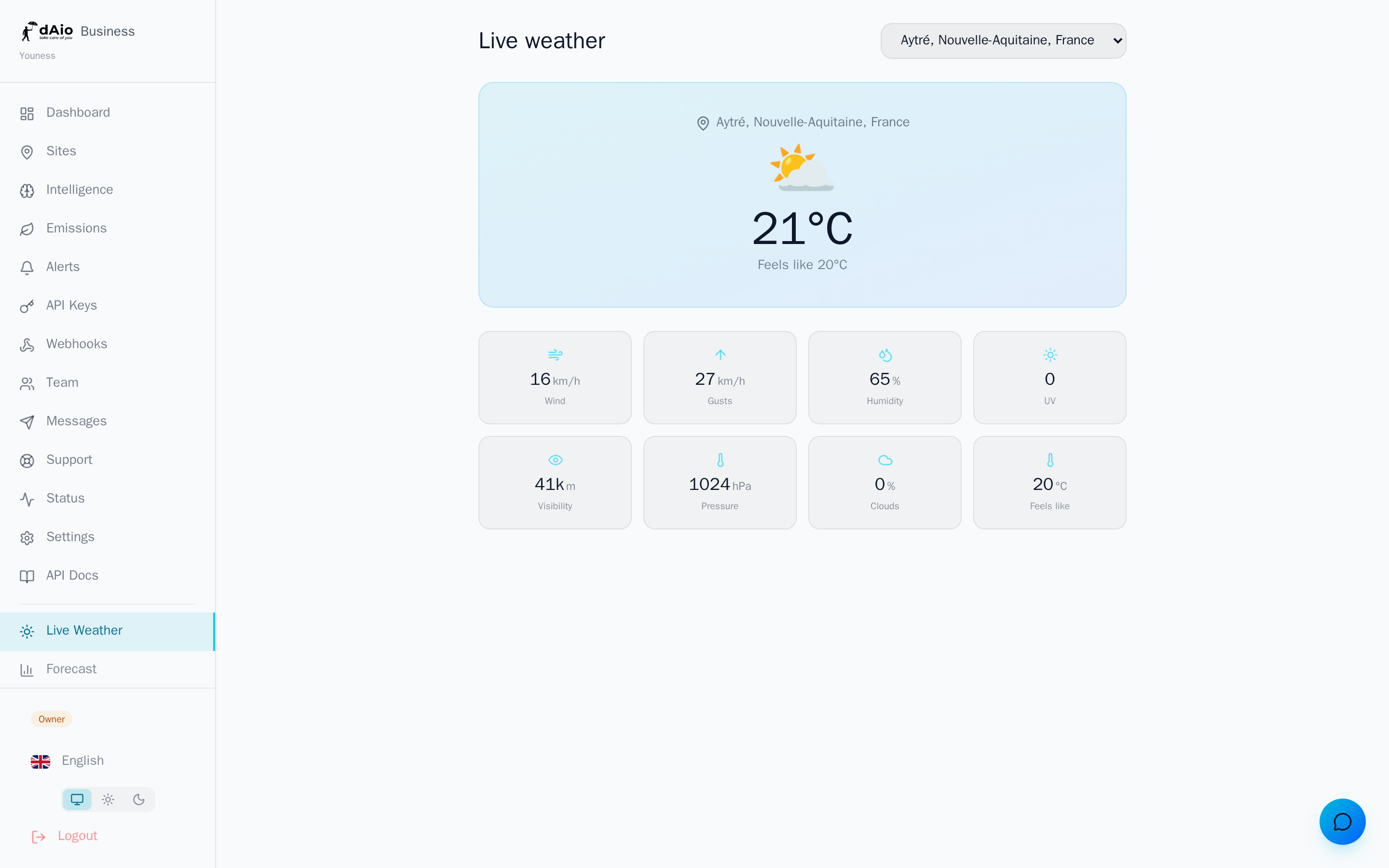
The Moments page gives you an instant read of the weather conditions currently happening at any of your sites. At a glance, your teams know what's going on right now in the field: feels-like temperature, wind, gusts, humidity, UV index, visibility. It's the quick check before an operational decision — sending out a crew, securing a worksite, scheduling a delivery — without opening the full intelligence view or waiting for an alert.
Where intelligence projects the hours ahead, Moments answers a single question: "What's the weather doing, right now, at this site?"
Tip: make Moments the entry point of your morning routine. A quick site-by-site sweep is enough to spot a condition worth watching before it triggers an alert.
Access
Open Moments from the main menu. The page automatically loads the first of your sites and displays its live weather.
If your organization has several sites, a selector appears in the top right: choose the location you want to switch the reading instantly. Only the sites you have access to appear in the list — the owner and administrators see everything, other roles see only the sites assigned to them.
Warning: if no site has been created yet, Moments has nothing to display. Start by creating a site to give the platform an anchor point.
Reading the screen
The screen reads in two parts.
At the top, the summary banner shows the site name, the current weather icon, the temperature, and the feels-like temperature. The essentials, visible immediately.
Below it, a metrics grid breaks down the conditions measured at your site's exact point.
Metrics displayed
| Metric | Unit | Description |
|---|---|---|
| Temperature | °C | Current air temperature |
| Feels like | °C | Apparent temperature, factoring in wind and humidity |
| Wind | km/h | Average wind speed |
| Gusts | km/h | Instantaneous wind peaks |
| Humidity | % | Relative air humidity |
| UV | Index 0-11+ | Ultraviolet radiation intensity |
| Visibility | m | Horizontal visibility distance |
| Pressure | hPa | Surface atmospheric pressure |
| Clouds | % | Cloud cover |
Tip: watch the gap between temperature and feels like. Strong wind or high humidity can open a difference of several degrees — a decisive factor for the safety and comfort of field teams.
Understanding the key values
- Feels like: reflects the combined effect of wind (wind chill) and humidity (heavy heat). Best for assessing the real strain of an intervention.
- Gusts: it's the peaks, not the average, that put a crane, scaffolding, or overhead handling at risk. Always compare wind and gusts.
- UV: above 6, protection becomes necessary for exposed teams; above 8, prolonged exposure should be avoided.
- Visibility: a low value signals mist, fog, or heavy precipitation — a point of attention for travel and operating machinery.
Data and refresh
The values come from real-time weather retrieved for the site's exact coordinates, via the /api/weather/current service. Switching sites instantly reloads the corresponding conditions.
Tip: Moments gives the snapshot. To anticipate the hours ahead and the per-activity risk scores, open the site's intelligence. To be notified automatically when a threshold is crossed, set up your alerts.
Availability by plan
Access to the sites visible in Moments depends on the number of sites allowed by your subscription. The more sites your plan covers, the more locations you steer in real time from this page.
Best practices
- Build Moments into your routine: a quick sweep at the start of the day, and before any weather-sensitive operation.
- Compare wind and gusts systematically before working at height or lifting operations.
- Rely on feels-like, not just raw temperature, to pace breaks and adapt your teams' effort.
- Move on to intelligence as soon as a condition catches your eye: Moments tells you what's happening, intelligence tells you what's coming.
- Let alerts do the watching: Moments is a visual check, alerts automate the monitoring of critical thresholds.
Tip: use Moments for a quick check before making operational decisions on a site, then cross-reference with intelligence and your alerts to decide with confidence.