
Emissions — Scope 3
Scope 3 covers all the indirect emissions generated upstream and downstream of your activity: business travel, employee commuting, purchased goods and services, freight transport, waste, leased assets. Under the GHG Protocol, these are the emissions you do not control directly but influence through your value chain — and they often account for 70 to 90% of an organisation's total carbon footprint.
It is also the most demanding scope to document, because the data is scattered across your suppliers, your teams and your service providers. dAio Business streamlines this work with two recognised estimation methods and automatic emission-factor calculation, to produce a Scope 3 that holds up to an auditor.
Tip: don't aim for completeness from day one. Start with the most material items (travel, main purchases, freight) that concentrate most of the footprint, then refine over successive campaigns.
Why declare Scope 3
- Regulatory compliance — the CSRD, mandatory GHG reporting and most frameworks (CDP, SBTi) now require Scope 3 reporting.
- Real steering — without Scope 3, your footprint ignores most of your impact and skews your reduction decisions.
- Credibility — a quantified Scope 3, even rough at the start, beats a blind spot in front of stakeholders and contracting customers.
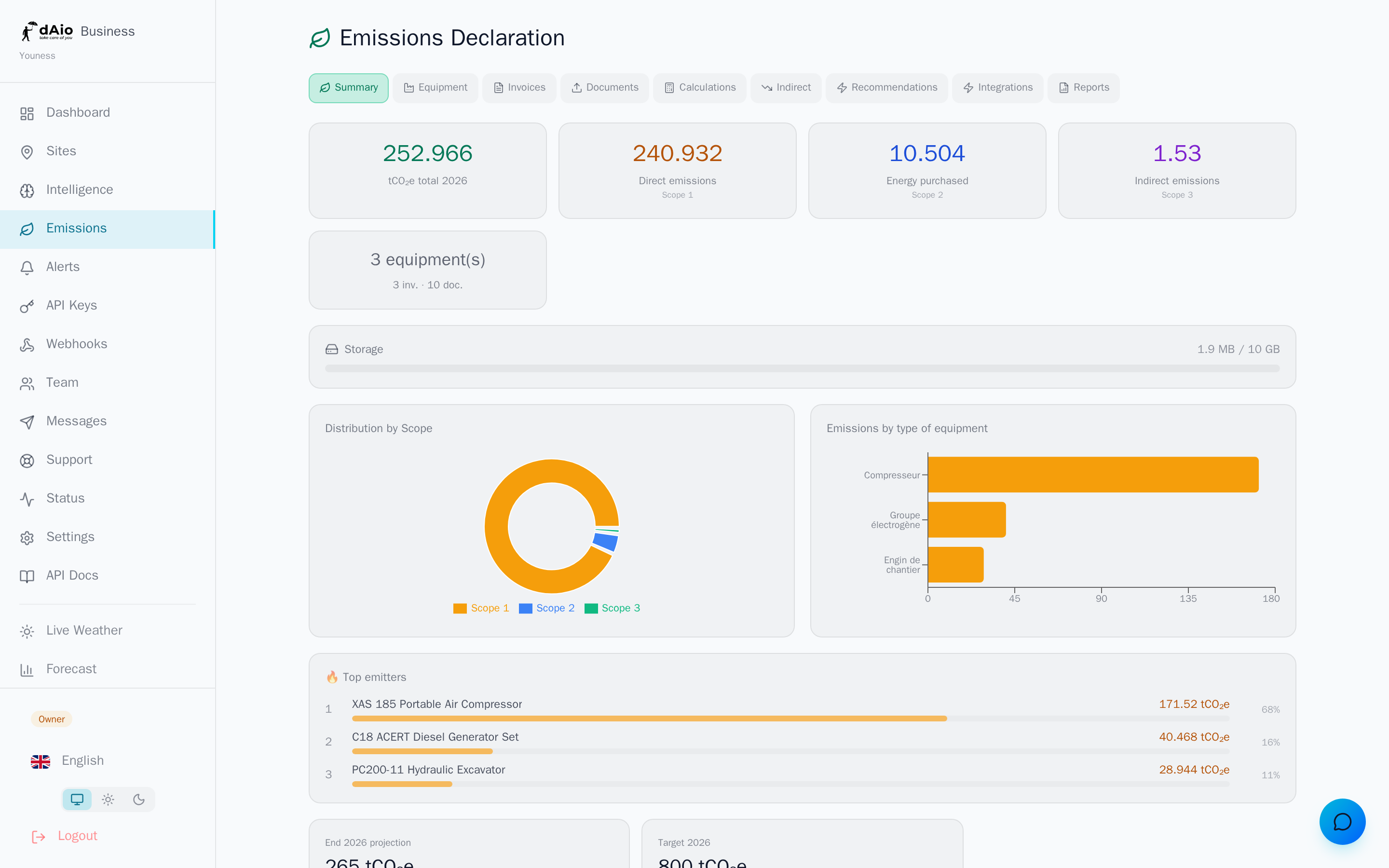
The Scope 3 emissions entered here feed your emissions overview, are included in the next footprint calculation and appear in your reports.
The two calculation methods
dAio Business offers two estimation approaches. Choose the one that matches the data actually available for each item.
Distance method (physical)
The most accurate. Suited to people travel and freight transport, when you know the kilometres covered.
- Select the category (business travel, employee commuting, upstream transport…).
- Enter a description to find the entry later (e.g. "Paris–Lyon TGV sales team").
- Enter the distance in kilometres.
- Choose the transport mode: short-haul flight, long-haul flight, train, high-speed rail, car, bus or taxi.
- dAio automatically applies the matching emission factor (DEFRA / ADEME database) and shows the result in tCO₂e.
Spend-based method (monetary)
Suited to purchases and services for which you only have a financial figure. dAio converts the spend into emissions via sector-based factors (input-output analysis).
- Select the category.
- Add a description.
- Enter the amount spent (in euros).
- Choose the spend category: office supplies, IT equipment, catering, hospitality, construction materials, freight transport, waste management or other.
- The estimate in tCO₂e is calculated automatically.
Warning: the monetary method remains an estimate based on a sector ratio, less reliable than the distance method. Reserve it for items for which you have no physical data, and switch to real data as soon as it becomes available.
| Criterion | Distance method | Spend method |
|---|---|---|
| Input data | Kilometres + mode | Euros + category |
| Accuracy | High | Approximate |
| Typical use case | Travel, freight, commuting | Purchases, services, consulting |
| Factors | DEFRA / ADEME per mode | Monetary sector ratios |
Available Scope 3 categories
| Category | Examples | Recommended method |
|---|---|---|
| Business travel | Flights, trains, taxis, missions | Distance |
| Employee commuting | Car, public transport for staff | Distance |
| Purchased goods | Materials, supplies, equipment | Spend |
| Upstream transport | Inbound supplier deliveries | Distance |
| Waste | Treatment, recycling, landfill | Spend |
| Leased assets | Leased vehicles and equipment | Spend |
Tip: create several entries per category rather than one aggregated line. A breakdown per trip or per supplier makes your footprint traceable and eases item-by-item justification during an audit.
Entering a Scope 3 record
- Open the Emissions module, then the Scope 3 tab.
- Click Add.
- Choose the method — Distance or Spend — via the two buttons at the top of the form.
- Select the category, fill in the description and the fields specific to the chosen method.
- Confirm with Save. The entry appears immediately in the list with its estimated emissions in tCO₂e.
Each line shows its label, the calculation detail (distance + mode or amount + category) and its footprint. You can delete an entry at any time via the trash icon; a confirmation is requested.
Warning: deleting a Scope 3 entry is permanent. Reports already generated, however, keep the value frozen at the time they were produced.
Bulk import (CSV)
For larger organisations, you can import your Scope 3 data in batch rather than entering it one by one. Select the Scope 3 import type, download the file template, complete it with your rows (category, method, distance or amount), then upload it. dAio calculates the emissions for each row on import.
Tip: connect your expense or procurement tools via the integrations to feed Scope 3 automatically and avoid re-keying.
From Scope 3 to action
Once your Scope 3 items are filled in:
- Run a footprint calculation to consolidate Scope 1, 2 and 3 into a single snapshot.
- Check the AI recommendations: dAio identifies the most reduction-worthy indirect items and proposes quantified levers.
- Generate a report including the Scope 3 detail for your compliance obligations.
Best practices
- Prioritise material items: focus the collection effort on the categories that weigh the most, not on anecdotal lines.
- Prefer physical data: use the distance method whenever you know the kilometres; reserve the monetary method for the rest.
- Document each entry: a clear description (who, what, when) turns an estimate into auditable data.
- Stay consistent year on year: keep the same methods and categories to make your annual comparisons valid.
- Industrialise collection: CSV import and integrations prevent omissions and make the perimeter reliable.
- Refine in iterations: an imperfect but declared Scope 3 improves with each campaign — completeness is not a prerequisite for the first publication.
Tip: once your Scope 3 is stabilised, set a reduction target in the emissions overview and track your trajectory snapshot after snapshot.